Record A New Sound On Your Computer
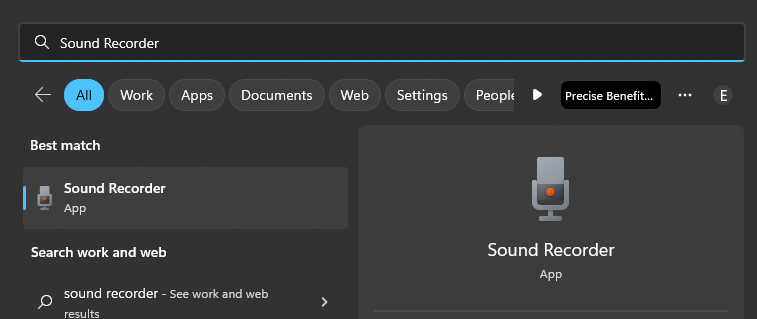
- if you press the windows key, and type "Sound Recorder" you should get an icon that looks like this:
- Then this window will pop up, you can start a recording by clicking the big red circle in the center bottom. It might prompt you for access to your microphone. Say yes and continue.
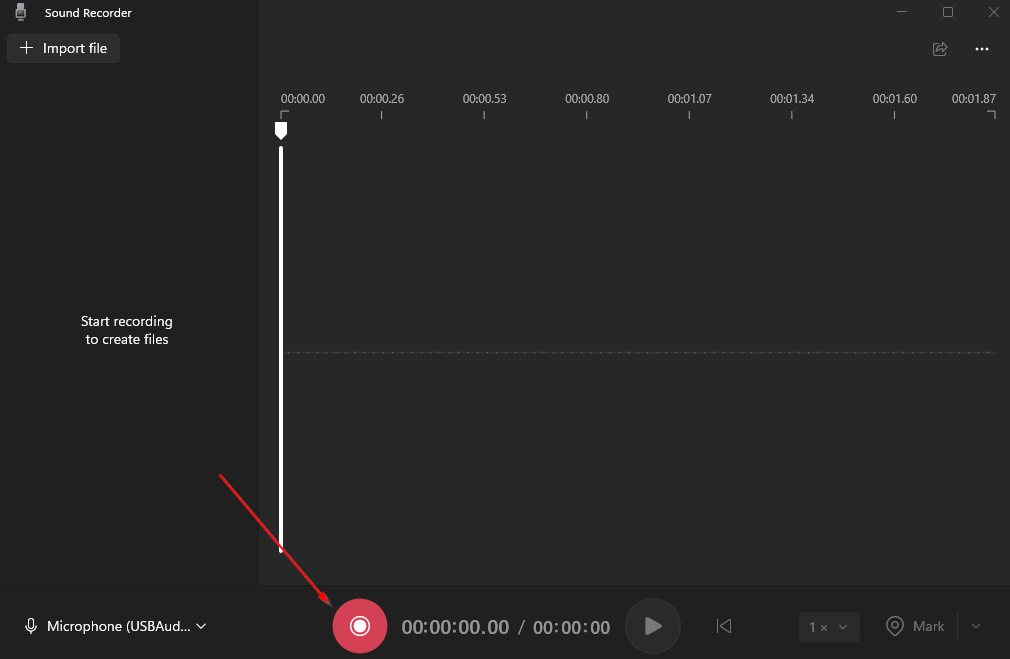
- You can stop and pause the recording with the icons below:

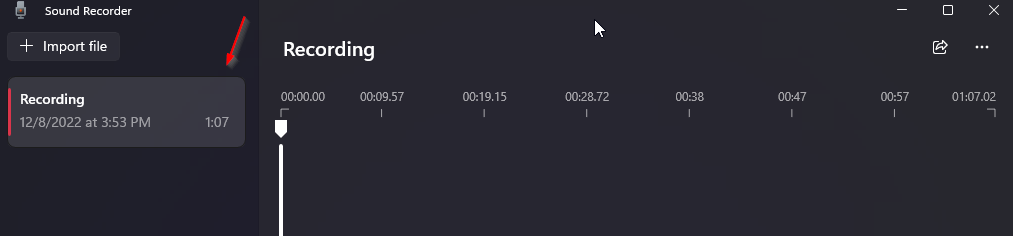
- After you're done recording, hit stop and you'll be brought back and you will see your recording on the left hand bar.
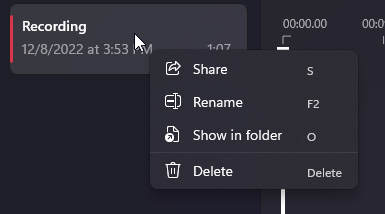
- To view the file and share it, right click on the recording in question and click "share" or "show in folder". From there you can move it or send it to whomever needs it.
Related Articles
How to restart your computer
This is a great and easy fix but, please keep in mind if you have ongoing files or projects that you are not 1000% sure are saved, make sure one last time before restarting. Click on the windows symbol, it should look something like this: You'll be ...
New Email Add-In
Today you might find a new addition to your outlook quick access toolbar at the top of your email. This is the report message add-in that I've put into outlook. This is a convenient tool you can use to report junk and phishing emails. When you report ...
Common issues
1. Computer is slow? This can happen for a number of reasons, but the biggest reason is the computer having been open or on too long. Simply restart your computer to see if this solves the issue. See the guide here
How to Make a Shared OneNote Page
1. When you make a new page in onenote go to "file" in the top left corner 2. Click on "share" 3. From here you can either pick which people you want to add (by typing in their email) and make sure to change that you want the to edit in the right ...
Compilation of efficiency tips/tools
As we get closer to 4th quarter, I figured it might be helpful to give you all some tips/tricks/tools on how to make your work life a bit easier. Some of these might take some more trial and error and learning than others, but they can help ...